
Where Most Players Actually Sit
Casino play on mobile is no longer a secondary option. For a large share of customers it is the only option they use, which means the app-versus-browser decision has genuinely practical consequences rather than being a matter of preference.
The honest summary is that native apps are faster and lighter on data, and browsers are more flexible and take no storage. Neither is better in the way that marketing usually implies, because the differences that matter are data use, storage, battery and how much of the site you actually use.
Our mobile casino comparison ranks operators on these practical factors rather than on their promotions, and the security checklist covers what to verify before installing anything.
What a Native App Actually Does Differently
Four things change when you move from a mobile browser to a native app, and they are worth understanding before choosing.
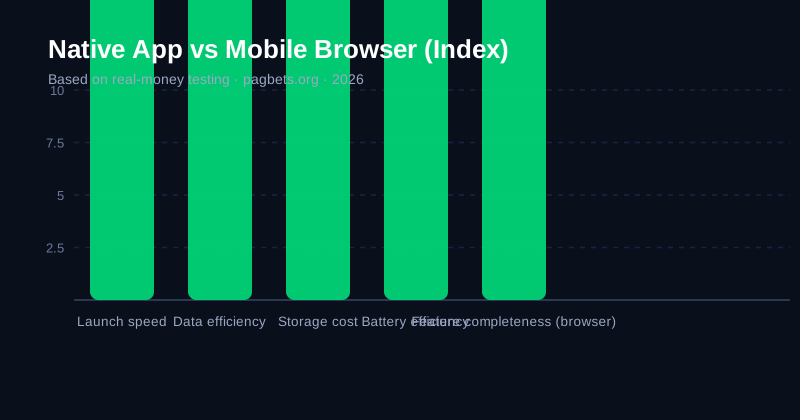
Launch speed is the most visible. A native app opens directly to its interface, while a browser has to establish a connection and render a page first. Data use is the most important over time: a native app stores game assets locally after the first load, while a browser re-fetches them each session. Storage is the cost of that saving, since a substantial game library can run to several hundred megabytes.
Battery is the fourth, and it depends on how you use the platform. Persistent connections and animations drain battery faster on a browser, while an idle app is comparatively cheap. A user who checks a balance twice a day will notice very little difference; a user who plays for four hours will notice it clearly.
| Factor | Native app | Mobile browser | Which matters more |
|---|---|---|---|
| Launch speed | Faster | Slower | Frequent short sessions |
| Data per session | Lower after first load | Higher | Metered connections |
| Storage used | High | None | Limited device storage |
| Battery drain | Lower when active | Higher | Long sessions |
| Update requirement | Yes | No | Minor |
| Feature access | Sometimes reduced | Full | Rarely |
| Install friction | Download required | None | Shared devices |
The Security Argument, Honestly Assessed
It is commonly claimed that app stores make apps safer, and there is some truth in it — but less than the claim usually implies.
Both the App Store and Google Play review apps before publication, and both have processes for removing apps reported as unsafe. A native app from a verified publisher therefore carries a modest additional assurance. What it does not do is protect you from a licensed operator running a fair but heavily-weighted game, and it certainly does not make a game with a wide margin into a good bet.
The real security question is always the operator's licence, the game audit and the withdrawal terms — not the delivery method. Our security checklist sets out the four checks that actually determine whether an operator is legitimate, and none of them is whether you reached it through an app or a browser.
Practical Problems Worth Knowing
Some genuine issues arise from playing on a phone that are worth anticipating.
Small screens and short sessions mean mobile sessions are shorter, which is usually beneficial — a phone is a poor device for a five-hour casino session. The offsetting factor is speed: a game that takes 45 seconds per spin gives far less thinking time than one at 90 seconds, and in-play betting on a phone is the highest-risk combination in the whole product.
Notifications are the other issue. Casino apps send push notifications about bonuses, and these are a well-documented route to problem gambling behaviour, because a promotion arriving at 11pm is a specific trigger. Our responsible gambling tools guide covers disabling them as a boundary.
- Shorter sessions, usually a benefit rather than a problem
- Faster decisions, less time to think is a real risk
- Live betting on a phone, the highest-risk combination available
- Push notifications, a documented trigger — turn them off
- Data on mobile networks, check your plan if streaming
- Battery and heat, long sessions on a phone get warm
- Lost or stolen device, enable biometric login and lock
Getting Set Up Safely on a Phone
Once the app versus browser decision is made, the setup process itself is worth doing carefully, because a phone is a more exposed device than a desktop.
Download from the official source only. An iOS user should use the App Store and an Android user should use Google Play or the operator's own verified site. Third-party app stores and direct APK downloads are a genuine supply-chain risk, and no legitimate operator will object to you using the official route.
Then enable biometric login where it is available. It protects the account on a lost or stolen device, and it is the single most useful security step available on a phone. Two-factor authentication on the account itself is the next most valuable, particularly if you will be depositing from the device.
Finally, avoid public or shared devices for anything involving a balance. A phone left signed into a casino account is a straightforward route to someone else accessing it, and most operators will not reimburse funds lost through a compromised credential. Our security checklist covers the operator side of the same question.
Managing Data and Battery on Mobile
Two practical constraints affect mobile casino play more than anything else, and both are manageable once you know they exist.
Data is the first. A native app downloads game assets once and stores them, so a second session uses a fraction of the data a browser would. A browser session on a metered connection can consume a substantial amount of data per hour, particularly on live dealer tables streaming video. Where data is charged by the megabyte, a native app is a meaningful saving and the browser is not.
Battery is the second. A screen on maximum brightness running a live table for two hours will drain a phone considerably, and heat is a real consequence — phones throttle performance, and a throttled device makes time-critical decisions worse. Reducing brightness, and stepping away from the screen between bets, does more for both battery and decision quality than most players expect.
One further practical point: several operators offer a mobile data saver mode, which streams a lower-resolution table and uses meaningfully less data. On a live dealer game it reduces the quality of the experience but keeps a long session affordable.
What to Check After Installing
There are five things worth checking in the first ten minutes after installing a casino app, and they take almost no time.
Biometric login should be enabled immediately, before depositing. Two-factor authentication should be turned on in the account settings. Deposit limits should be set to a figure that is genuinely uncomfortable to exceed, before any money is added rather than after a loss. Session reminders should be switched on, with a realistic interval. And promotional notifications should be declined, because they are the mechanism most directly associated with problem play.
None of these is complicated, and all of them are meaningfully harder to set once you are mid-session. Our responsible gambling tools guide covers each in detail, including why a limit set at registration is more effective than one added later.
The sixth item is a habit rather than a setting: check the withdrawal terms and minimums before depositing, so the first withdrawal is not the first time you look at them. Our payment methods guide sets out what realistic terms look like.
Choosing Between Them
The decision follows directly from how you play.
Choose a native app if you play regularly, play on a metered connection, have storage to spare and want the fastest possible launch. Choose the mobile browser if you play occasionally, share a device, have limited storage or want access to features the app omits. If you are genuinely uncertain, the browser is the lower-commitment option and is worth starting there.
Whichever you pick, the games available are usually identical, so the app is a delivery decision rather than a content one. Our mobile casino comparison ranks operators on the practical factors — app quality, mobile site quality, game load time and support on a phone — which are the things that actually differ between operators.
- App for regular players, speed and data savings compound
- Browser for occasional players, no install, no storage
- Browser on shared devices, avoids leaving anything behind
- Either way, enable two-factor authentication on your account
- Turn off promotional notifications, they are a known trigger
- Use biometric login, it protects a lost device
- Set deposit limits, see our tools guide